Introduction — Why this matters now
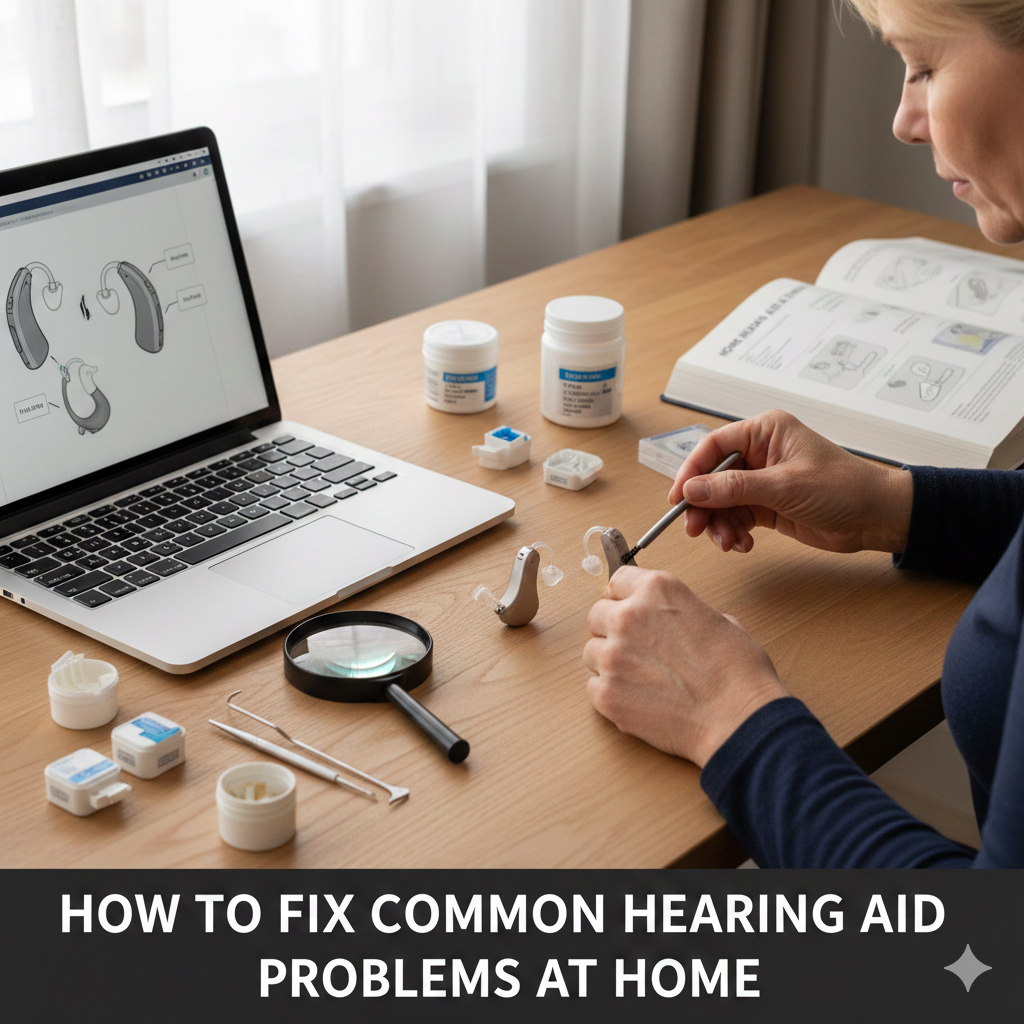
Fix common hearing aid problems before assuming your device is broken or needs replacement. Most hearing aid “failures” are simple issues you can resolve at home in just a few minutes. Dead sound, whistling, muffled audio, or app disconnects usually trace back to earwax buildup, moisture, worn accessories, or incorrect settings—not faulty electronics.
Before booking a repair or buying new hearing aids, it’s worth running a calm, step-by-step check. This guide explains the most common hearing aid problems, why they happen, and safe fixes you can try yourself—helping you save time, money, and frustration.
The 40-Second Answer
Common hearing aid problems—no sound, feedback, muffled audio, or app issues—are usually caused by wax blockage, moisture, worn parts, or settings changes. A quick check of power, cleaning, parts, and connections fixes most issues without professional repair.
Start Here: The 5-Minute Home Check

Before diving into specifics, do this quick sweep:
Power: Is it on? Battery charged?
Volume: Not muted or turned down?
Cleanliness: Wax or debris visible?
Parts: Domes/guards intact and soft?
Moisture: Dry overnight if in doubt
[Expert Warning]
If sound is intermittent, moisture is the top suspect—even if the aid looks dry.
Problem #1: No Sound at All
Likely causes
Dead battery / not charging
Clogged wax guard
Receiver not seated properly
Device stuck in mute
Fix it at home
Replace or fully recharge the battery
Change the wax guard
Reattach the receiver/dome firmly
Restart the hearing aid (power off/on)
[Pro-Tip]
If one aid works and the other doesn’t, swap domes or receivers to isolate the issue.
Problem #2: Sound Is Muffled or Weak
Likely causes
Wax buildup
Dirty microphone ports
Hardened domes
Old tubing (BTE)
Fix it at home
Brush wax from openings gently
Replace domes or tubing
Check wax guard and swap if needed
Dry the aid overnight
Problem #3: Whistling or Feedback
Likely causes
Poor seal in the ear
Dome too small or hardened
Device not fully inserted
Volume increased to compensate for blockage
Fix it at home
Reinsert carefully
Replace domes with correct size
Reduce volume slightly
Check for wax blockage first
[Money-Saving Recommendation]
Feedback often disappears after a $2 dome replacement—before adjusting settings or upgrading devices.
Problem #4: One Hearing Aid Louder Than the Other
Likely causes
Uneven wax blockage
Worn receiver on one side
Balance settings changed in app
Fix it at home
Clean both aids equally
Replace wax guards on both sides
Reset balance settings in the app
Problem #5: Hearing Aid App Not Connecting
Likely causes
Bluetooth glitch
Battery optimization blocking the app
App update mismatch
Phone too far from aids during pairing
Fix it at home
Restart phone and hearing aids
Turn Bluetooth off/on
Disable battery optimization for the app
Re-pair both aids together
[Expert Warning]
App instability is often a phone setting issue—not the hearing aid itself.
Information Gain: Why “Random” Problems Repeat
Top SERP guides treat issues as isolated. In practice, problems cluster.
From real-world patterns:
Wax → muffled sound → volume increase → feedback
Moisture → intermittent sound → app dropouts
Worn domes → poor seal → feedback → perceived hearing decline
Fixing the first link in the chain prevents the rest.
Unique Section — Beginner Mistake Most People Make

Adjusting settings before fixing physical issues.
Software tweaks can’t overcome wax, moisture, or worn parts. Always fix hardware basics first.
When Home Fixes Are Enough (and When They Aren’t)
Home fixes usually work when:
Sound issues are sudden
One side is affected
Problems improve after cleaning or drying
Seek professional help when:
Sound cuts out even after drying
Distortion persists after part replacement
Device won’t power on at all
Physical damage is visible
Quick Troubleshooting Table
| Symptom | Most Likely Cause | First Fix |
| No sound | Wax guard | Replace guard |
| Muffled | Wax/moisture | Clean + dry |
| Whistling | Dome seal | Replace dome |
| App won’t connect | Bluetooth | Restart + re-pair |
| Cuts in/out | Moisture | Dry overnight |
Internal Linking (Contextual)
“daily and weekly care steps” → How to Clean Hearing Aids Properly
“part replacement timelines” → How Often Should You Replace Hearing Aid Parts?
“water exposure limits” → Are Hearing Aids Waterproof?
Watch & Learn (YouTube — contextual)
“Hearing aid troubleshooting step by step”
“Fix hearing aid feedback and muffled sound”
(Embed after the troubleshooting table.)
Image & Infographic Suggestions
Infographic: “5-Minute Hearing Aid Fix Checklist”
Alt: fix common hearing aid problems at home
Diagram: “Wax vs Moisture vs Fit Problems”
Alt: hearing aid troubleshooting causes
Visual: “Correct vs Incorrect Insertion”
Alt: hearing aid insertion feedback fix
FAQs
Why did my hearing aid suddenly stop working?
Most often due to wax, moisture, or a dead battery.
Can I fix hearing aid feedback myself?
Yes—fit and dome replacement solve most cases.
Do hearing aid apps cause sound problems?
Rarely; physical issues usually come first.
How long should I dry hearing aids after moisture?
Overnight in a drying case works best.
When should I stop troubleshooting and seek help?
If problems persist after cleaning, drying, and part replacement.
Conclusion
Before assuming your hearing aid is broken, slow down and check the basics. Wax, moisture, worn parts, and simple settings cause most issues—and they’re all fixable at home. A few minutes of calm troubleshooting can restore clear sound and save you from unnecessary repairs.
Internal link
How Often Should You Replace Hearing Aid Parts?
External link